Online Avatar Generator
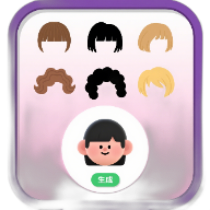
Custom-generate personalized avatars with multiple options such as hairstyle, skin tone, and accessories, and support batch generation and download.
Browser execution mode: Your data is processed in your browser and is not uploaded to the server.
Speed and Stability: Processing speed depends on your device and browser. For large batch work, the desktop version may be more stable.
Loading tool, please wait...
If the online tool fails to load or run, try the desktop tool.https://tools.yikeaigc.com/

Tool Usage
Return to old versionSingle avatars preview in real time. Batch generation processes all avatars, shows only the first 20 previews, and downloads them as a ZIP.
Avatar settings
Start from an example or adjust each option. The preview on the right updates automatically.
Batch export
Set background, format, size, and batch rules. Generate a preview first, then download the final files.
Generate & download
In single mode, download the current avatar directly. In batch mode, generate the list first, then download a ZIP.
Instructions
Software Instructions
- Choose an avatar template: After opening the tool, first check the preview. You can click example templates such as “Social Media Avatar,” “Business Avatar,” “Game Character,” and “Minimal Line Art” to quickly load parameters.
- Set the basic appearance: Adjust the face shape, skin tone, drawing style, hairstyle, hair color, eyes, eyebrows, nose, and expression in order. The preview on the right will update in real time.
- Add clothing and accessories: Choose clothing such as T-shirts, hoodies, suits, and sweaters, and set details such as hats, earrings, necklaces, freckles, blush, and beards.
- Configure background and export: In “Batch Export,” set a solid color, gradient, dots, rings, or transparent background, choose PNG, JPEG, or SVG format, and set the export size and JPEG quality.
- Select a generation mode:
- Single Avatar: Suitable for downloading the current avatar after fine-tuning.
- Batch Random: Generate multiple different avatars at once.
- Same-Style Batch: Keep the background and art style while randomizing character details.
- Current Avatar Variants: Keep the main color scheme and generate similar variations.
- Save settings: Click “Save Settings” to save the current parameters. You can also export a JSON configuration file and continue using it later via “Import Configuration.”
- Generate and download: In single mode, click “Download Current Avatar”; in batch mode, first click “Batch Generate Avatars,” confirm the preview, then click “Download All ZIP.” The batch preview only shows the first 20 avatars, while the ZIP will include all results.
FAQ
Related Tools
Korean Address Random Generator
Randomly generate real and valid Korean addresses online,...
France Address Random Generator
Generate real French addresses online, supporting cities ...
1.7 Million Common Person Name Random Generator
Based on a database of 1.7 million real names, supports f...
Mobile UUID Batch Generation Tool
Professional mobile device UUID batch generator, supporti...
Batch Mobile MAC Address Generator
Supports batch MAC address generation for mainstream mobi...