Xiaohongshu Book Quote Style Cover Maker
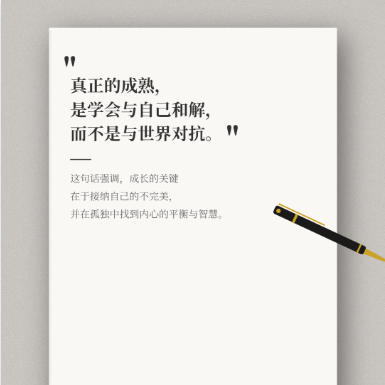
Book and notebook quote cover, with a gray textured background and white book pages, decorated with a fountain pen, suitable for philosophical quotes and life reflection content.
Browser execution mode: Your data is processed in your browser and is not uploaded to the server.
Speed and Stability: Processing speed depends on your device and browser. For large batch work, the desktop version may be more stable.
Loading tool, please wait...
If the online tool fails to load or run, try the desktop tool.https://tools.yikeaigc.com/

Tool Usage
Return to old versionCanvas size
Background Settings
Default Texture
Solid color background
Custom Image
Book Style
75%
88%
20
Main Title (Quote)
Divider
Subtitle (description)
Signature
Pen Decoration
Classic Black
Gold-Black
Silver Blue
Rose Gold
None
25°
Font Settings
Quick Examples
1080 × 1350 px
One cover per line, separated by |: title lines|subtitle|signature
Enter quotes, then click "Generate Covers in Bulk"
Instructions
Software Usage Instructions
- Select canvas size: Click the preset buttons to quickly choose TikTok (9:16), Xiaohongshu (4:5/3:4), or square sizes, or manually enter a custom width and height.
- Set background style:
- Default textures: Offers various texture effects such as gray cement, light marble, wood-grain desktop, paper texture, and linen texture
- Solid color background: Customize any background color
- Custom image: Upload your own background image, which will automatically stretch to fit the canvas size
- Adjust book style: Set the book color, width-to-height ratio, and shadow intensity, and choose whether to show page texture lines.
- Edit the main quote title: Click "Add quote line" to add multiple lines of text. Each line can have its own font size and color. Choose a quotation mark style (Chinese quotes, Western quotes, book title marks, or no quotes).
- Set the divider line: Turn the divider line on/off and adjust its width and color.
- Edit subtitle and signature: Enter explanatory text and the account signature, and set the font size, color, and line height separately.
- Add pen decoration: Choose a pen style (Classic Black, Gold Black, Silver Blue, Rose Gold), and adjust its position, size, and rotation angle.
- Select font: Provides fonts such as Source Han Serif, ZCOOL XiaoWei, and Ma Shan Zheng Regular, and also supports uploading custom font files.
- Preview and download: Preview the effect in real time on the right, choose the export format and quality, then click "Download cover image".
- Batch creation: Switch to the "Batch creation" tab, enter multiple quote entries in the specified format, then generate them with one click and download them as a ZIP package.
Frequently Asked Questions
A: Each line represents one cover. Use the vertical bar "|" to separate different parts. Format: Main title line 1|Main title line 2|Main title line 3|Subtitle|Signature. For example: True maturity,|is learning to reconcile with yourself,|rather than fighting against the world.|This quote emphasizes that the key to growth lies in accepting yourself.|@Schopenhauer Quotes
A: Select "Custom font" in the font settings, then upload a font file in TTF, OTF, or WOFF format. Once the font loads successfully, it will be automatically applied to the preview. It is recommended to use a font file that supports Chinese.
A: Some fonts need to be loaded from the web, so you may need to wait a few seconds the first time you use them. If the font still displays incorrectly, it may not be installed on your device. We recommend choosing another font or uploading a custom font file.
A: Three quality options are available: High quality is suitable for printing or HD display; Standard quality is suitable for posting on social media, with a moderate file size; Compressed quality produces smaller files and is suitable for scenarios where image quality is not a priority. PNG supports transparent backgrounds, while JPEG and WebP files are smaller.
A: The text position is calculated automatically based on the book size. You can indirectly control the size of the text area by adjusting the book's width ratio and height ratio. The main title's font size also affects the overall layout, so we recommend adjusting the font size appropriately based on the length of your content.
A: The system automatically handles duplicate file names. If a duplicate occurs, a numeric suffix is added to the original file name to distinguish it, such as cover-001.png, cover-001-1.png, etc., ensuring that each file has a unique name.
A: Common image formats such as JPG, JPEG, PNG, GIF, and WebP are supported. Uploaded background images are automatically stretched to fit the canvas size. We recommend using images with a similar aspect ratio to the canvas for better results.
Related Tools
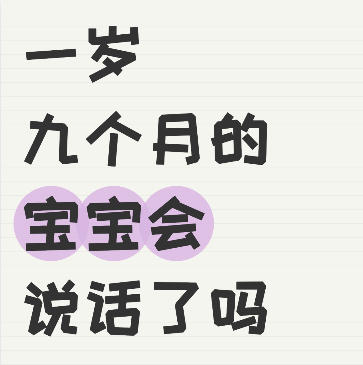
Xiaohongshu Notebook-Style Cover Maker
Create a notebook ruled-line background cover, with suppo...
Image Circle Number Labeling Tool
Add numbered circle markers to images, supporting single-...