Batch Image Editing Tool
An online tool that supports batch image resizing, format conversion, quality compression, rotation and flipping, color adjustments, and more.
Browser execution mode: Your data is processed in your browser and is not uploaded to the server.
Speed and Stability: Processing speed depends on your device and browser. For large batch work, the desktop version may be more stable.
Loading tool, please wait...
If the online tool fails to load or run, try the desktop tool.https://tools.yikeaigc.com/
Tool Usage
Return to old versionBatch import JPG, PNG, WebP, BMP, GIF, and more. Only the first 20 images are shown for review, but all selected images will be processed. Save common settings before processing.
Import images
Select images to process first, then set options in the next step. All selected files will be processed; the list shows only the first 20.
Basic edits
Set size, output format, quality, and naming rules. Try the sample settings first, then adjust for your needs.
Image adjustments
Rotate, flip, adjust colors, sharpen, and add text watermarks. Unchecked features are not applied.
Process & download
Confirm settings to start batch processing. Output files keep original names by default; duplicates get a number appended.
Instructions
Software Usage Instructions
- Import image files: Click “Select Image Files” or drag images into the tool area. Common formats such as JPG, PNG, WebP, BMP, and GIF are supported. When selecting in batches, the interface only displays the first 20 images, but all images will be processed.
- Set basic modifications:
- Resize: Process by maximum width and height, fixed size, fixed width, fixed height, or proportional scaling, with options to keep the aspect ratio and avoid enlarging small images.
- Format conversion: Output as JPEG, PNG, WebP, or BMP, or keep the original format.
- Quality compression: Set the image quality level to balance file size and clarity.
- File naming: Set a file name prefix, suffix, and ZIP file name. By default, the original file name is kept, and numbers are automatically appended if duplicate names occur.
- Set image adjustments:
- Rotate and flip: Supports 90-degree, 180-degree, and 270-degree rotation, as well as horizontal and vertical flipping.
- Crop ratio: Supports centered cropping to square and common aspect ratios.
- Color adjustments: Adjust brightness, contrast, saturation, sharpening, softening, and vignette, with support for grayscale, sepia, and inverted color effects.
- Text watermark: Set the watermark text, position, font size, opacity, color, and shadow.
- Save common settings: Click “Save Settings” to save the current parameters. Next time, click “Load Saved Settings” to quickly restore them.
- Preview the result: Click “Preview First Image” to view the processed result of the first image before batch processing.
- Start processing and download: Click “Start Batch Processing”. After completion, you can preview the first 20 results and click “Download All Results (ZIP)” to download all processed images.
FAQ
Related Tools
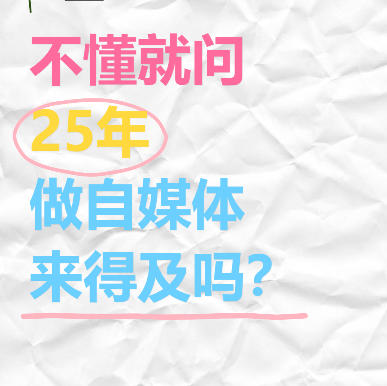
Xiaohongshu “Ask If You Don’t Know” Style Cover Maker
Wrinkled paper background with colorful handwritten text,...
Xiaohongshu Bilingual Sticky Note Style Cover Maker
Chinese-English bilingual comparison note-style cover, gr...
Color Matching Recommendation Tool
Professional color palette generator supporting multiple ...
Xiaohongshu Book Quote Style Cover Maker
Book and notebook quote cover, with a gray textured backg...