Xiaohongshu “Ask If You Don’t Know” Style Cover Maker
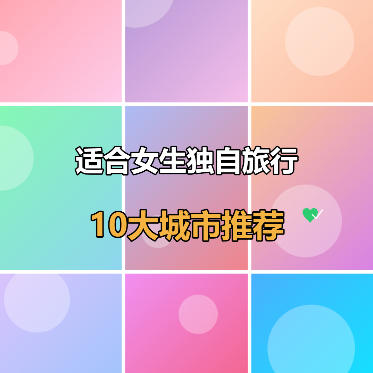
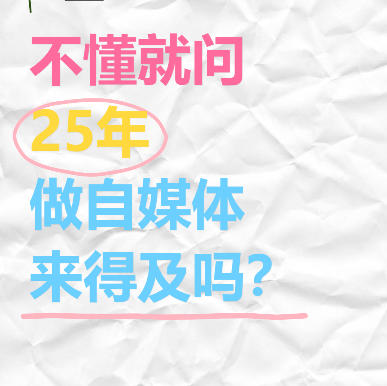
Wrinkled paper background with colorful handwritten text, supports oval circle and underline decorations, suitable for self-media Q&A covers.
Browser execution mode: Your data is processed in your browser and is not uploaded to the server.
Speed and Stability: Processing speed depends on your device and browser. For large batch work, the desktop version may be more stable.
Loading tool, please wait...
If the online tool fails to load or run, try the desktop tool.https://tools.yikeaigc.com/

Tool Usage
Return to old version
Enter text, then click "Generate Batch Covers"
Instructions
Software Usage Instructions
- Select a creation mode: Click the tabs at the top to choose "Single Creation" or "Batch Creation" mode. Single mode is suitable for detailed adjustments, while batch mode is ideal for quickly generating multiple covers.
- Set the canvas size:
- You can manually enter the width and height values
- You can also click preset buttons to quickly select: Douyin 9:16, Xiaohongshu 3:4, Square
- Adjust the background effect:
- Paper base color: Set the base color of the wrinkled paper
- Wrinkle intensity: Adjust how noticeable the paper wrinkle texture is
- Add text content:
- Click the "Add Row" button to add a new text line
- Each line can be set individually: text content, font size, and color
- You can add oval circle decorations or underline decorations to the text
- Use the quick color selection buttons to switch between three theme colors with one click: pink, yellow, and blue
- Select sticker decorations: Choose cute stickers in the upper left corner (yellow chick, cat, heart, etc.), adjust the sticker size, and choose whether to show diagonal line decorations.
- Real-time preview: The preview area on the right displays the cover effect in real time, with all changes visible instantly.
- Download the cover: Select the export format (PNG/JPEG/WebP) and quality, then click "Download Cover Image" to save it.
- Batch creation:
- Enter multiple lines of content in the text box, with each line representing one cover
- Use the | symbol to separate different text lines on the same cover
- Select a batch style template and click "Generate Batch Covers"
- After previewing and confirming, click "Download All (ZIP)" to download the package
FAQ
Related Tools
Batch Image Watermark Remover Tool
Based on the LaMa deep learning model, intelligently remo...
Batch PDF Multi-Page Merge Tool
Merge multiple pages of a PDF file onto one page for easy...
Batch ID Front and Back Merge Tool
Intelligently pairs the front and back of IDs by file nam...
Image Dominant Color Analysis Tool
Intelligently extract the main colors from images, suppor...
Batch Image Orientation Correction Tool
Batch recognize and correct image orientation, automatica...