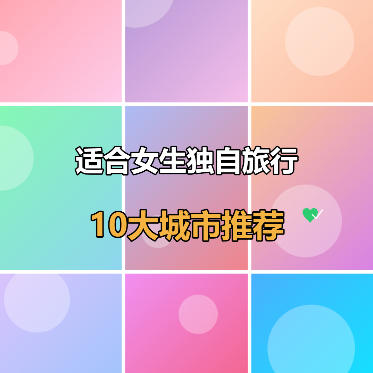
Xiaohongshu 9-Grid Cover Maker
Nine-grid multi-image collage cover, supporting custom text outlines and sticker decorations, ideal for content creation such as travel guides and food recommendations.
Browser execution mode: Your data is processed in your browser and is not uploaded to the server.
Speed and Stability: Processing speed depends on your device and browser. For large batch work, the desktop version may be more stable.
Loading tool, please wait...
If the online tool fails to load or run, try the desktop tool.https://tools.yikeaigc.com/
Tool Usage
Return to old versionUpload images, then click "Generate Batch Covers"
Instructions
Software Usage Instructions
- Select canvas size: Choose an appropriate size based on the publishing platform. Preset sizes such as Douyin 9:16, Xiaohongshu 3:4, and square are supported, and you can also customize the width and height.
- Upload nine-grid images:
- Click each grid cell to upload images one by one
- Or use the "Batch Upload" button to select multiple images at once for automatic filling
- Click the × in the top-right corner of an image to delete an uploaded image
- Adjust image spacing: Drag the slider to set the gaps between the nine-grid images. 0 means no gap, with images arranged tightly together.
- Add text content:
- Click the "Add Text" button to create a text line
- Set the text content, font size, color, outline color, and outline thickness
- Adjust the text position on the canvas using X/Y position percentages
- Supports three alignment options: left, center, and right
- Add sticker decorations:
- Click the "Add Sticker" button to add decorative elements
- Choose from various stickers such as a green heart checkmark, golden crown, stars, flames, and more
- Adjust the sticker size and position
- Background settings: Supports three modes: default style (nine-grid images), solid-color background, and custom image background.
- Custom fonts: Upload font files in TTF/OTF/WOFF format, and the text will be rendered using the custom font.
- Quick examples: Click the "Travel Guide", "Food Recommendations", or "Outfit Sharing" button to load preset styles.
- Export and download: Select the export format (PNG/JPEG/WebP) and quality, then click "Download Cover Image" to save.
- Batch creation:
- Switch to the "Batch Creation" tab
- Upload multiple images; one cover is automatically generated for every 9 images
- Enter batch text, with each line corresponding to one cover, and use | to separate the main title and subtitle
- Click "Generate Batch Covers" to preview the results
- Click "Download All (ZIP)" to package and download all covers
FAQ
Related Tools
Batch Image Text Watermark Tool
Easily add custom text watermarks to multiple images, wit...
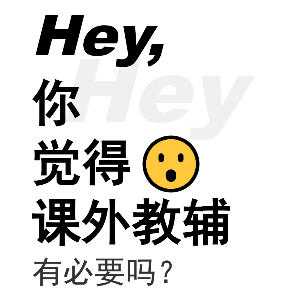
Xiaohongshu Hey Conversational Cover Maker
Hey conversational question cover, with black text on a w...
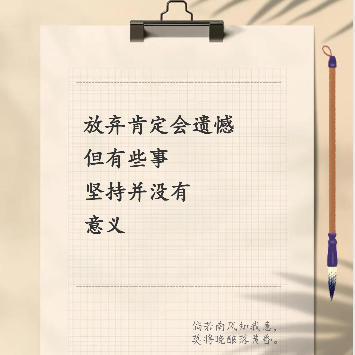
Xiaohongshu Paperclip Copywriting-Style Cover Maker
Artistic vintage sticky note-style cover, with a beige ba...
Image Similarity Detection (PDQ Algorithm)
An online image similarity detection tool based on the PD...
Image Dominant Color Analysis Tool
Intelligently extract the main colors from images, suppor...
Image Similarity Detection (pHash Algorithm)
An online image similarity detection tool based on the pH...