Word Cloud Generator
Generate word cloud images online, analyze text word frequency, and support multiple style and color configurations.
Browser execution mode: Your data is processed in your browser and is not uploaded to the server.
Speed and Stability: Processing speed depends on your device and browser. For large batch work, the desktop version may be more stable.
Loading tool, please wait...
If the online tool fails to load or run, try the desktop tool.https://tools.yikeaigc.com/

Tool Usage
Return to old versionPaste text, load samples, or upload TXT/DOCX/PDF files. Batch lists show only the first 20 files; generation and ZIP include all files.
Choose word cloud text source
Prepare text first, then set segmentation rules and visual style in the next step.
Set tokenization, style, and layout
Adjust word count, font, colors, canvas size, and rotation, then generate and download.
Generate, preview, and download word cloud
Single text can be downloaded as PNG or SVG; batch files as ZIP, with filenames kept the same as the originals.
| Word | Frequency | Share |
|---|---|---|
| Top words will appear after generation. | ||
Instructions
Software Usage Instructions
- Select a text source: You can paste text directly, or upload TXT, MD, CSV, SRT, LOG, DOCX, or PDF files. To try it quickly, you can load sample data.
- Organize text content: Enable options as needed, such as cleaning HTML, filtering stop words, filtering pure numbers, and case sensitivity.
- Set word frequency analysis parameters: Adjust the number of words to display, minimum word length, Chinese word segmentation method, Chinese phrase length, and add custom filter words.
- Set word cloud style: Choose the font, font weight, background color, transparent background, color scheme, canvas width and height, font size range, word spacing, rotation strategy, and word cloud shape.
- Pre-analyze word frequency: Click “Pre-analyze Word Frequency” to view the high-frequency word list and confirm whether the keywords meet your expectations.
- Generate the word cloud: After entering the generation and download page, click “Generate Word Cloud”. The tool will generate a preview image based on the current parameters.
- Download results: A single result can be downloaded as PNG or SVG. For batch files, all content will be processed, and all images can be obtained via “Download ZIP”.
FAQ
Related Tools
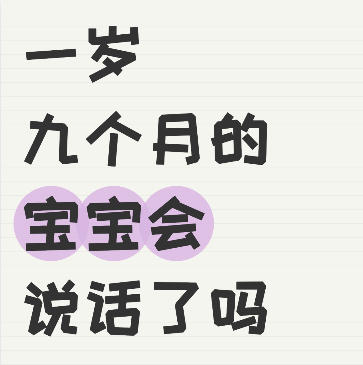
Xiaohongshu Notebook-Style Cover Maker
Xiaohongshu-inspired popular notebook spiral-style cover,...
Xiaohongshu Notebook-Style Cover Maker
Create a notebook ruled-line background cover, with suppo...
Batch Full-Screen Text Watermark for Images
Batch add full-screen tiled text watermarks to images wit...
Photo Border Watermark Generator
Add borders and custom text watermarks to photos online, ...
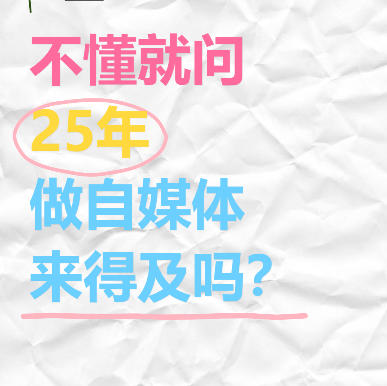
Xiaohongshu “Ask If You Don’t Know” Style Cover Maker
Wrinkled paper background with colorful handwritten text,...
Batch Image Compression (Reduce Storage Space) Tool
Compress by quality or target size (KB, MB), supports bat...
Random Image EXIF Information Adder
Batch-generate and write real EXIF metadata for images, s...