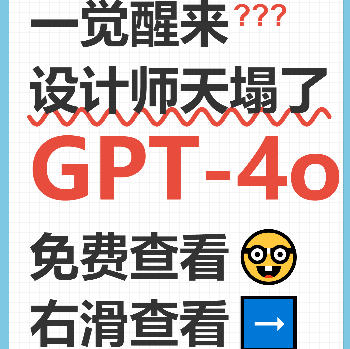
Xiaohongshu Notebook-Style Cover Maker
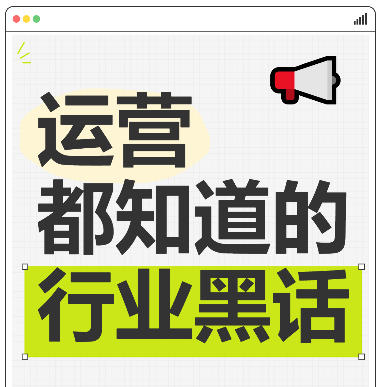
Xiaohongshu-inspired popular notebook spiral-style cover, supporting decorative effects such as grid paper, colorful spirals, labels, and wavy underlines.
Browser execution mode: Your data is processed in your browser and is not uploaded to the server.
Speed and Stability: Processing speed depends on your device and browser. For large batch work, the desktop version may be more stable.
Loading tool, please wait...
If the online tool fails to load or run, try the desktop tool.https://tools.yikeaigc.com/

Tool Usage
Return to old versionEnter text, then click "Generate Batch Covers"
Instructions
Software Usage Instructions
- Select a creation mode: Click the tabs at the top to choose "Single Image" or "Batch Creation" mode. Single mode is suitable for fine adjustments, while batch mode is ideal for quickly generating multiple covers.
- Set the canvas size:
- Manually enter the width and height (pixels)
- Or click a preset button to quickly choose: Douyin 9:16, Xiaohongshu 3:4, Square
- Configure the background style:
- Default style: Classic notebook style, with adjustable border color and paper color
- Solid color background: Use a single color as the overall background
- Custom image: Upload an image as the background, automatically stretched to fit the canvas
- Adjust the notebook style: Set the spiral color, number of spirals, grid color, and grid spacing, and choose whether to show grid lines.
- Set the top-left label: Enter the label text, adjust the font size, background color, and text color, and choose whether to show the label.
- Add text content:
- Click the "Add" button to add a new text line
- Each line can be configured separately: text content, font size, and color
- Select a text style: normal text, red question mark decoration, wavy underline, or red highlight
- Add emoji decorations to the text
- Choose a font: Built-in fonts include Source Han Sans, Microsoft YaHei, and more. You can also upload custom font files (.ttf/.otf/.woff format).
- Use quick examples: Click the "Tech News", "Study Tips", or "Life Hacks" buttons to quickly load preset templates.
- Export the image: Select the export format (PNG/JPEG/WebP) and quality, then click "Download Cover Image" to save it.
- Batch creation: In batch mode, enter multiple lines of text (one cover per line, with sections separated by |), select a style, then click "Generate Batch Covers". When finished, click "Download All (ZIP)" to get all images.
FAQ
Related Tools
Batch Full-Screen Text Watermark for Images
Batch add full-screen tiled text watermarks to images wit...
Xiaohongshu iPad Tablet-Style Cover Maker
Simulates an iPad tablet frame design, with support for g...
Xiaohongshu Countdown Sale Cover Maker
Generate countdown promotional posters with one click. Su...
Image Color Simplification Tool
Reduce the number of colors in images using color quantiz...