Xiaohongshu Notebook-Style Cover Maker
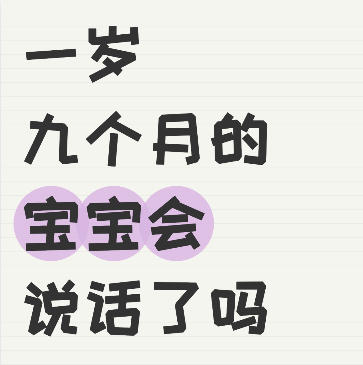
Create a notebook ruled-line background cover, with support for handwritten fonts, circular bubble text effects, and cute cartoon sticker decorations.
Browser execution mode: Your data is processed in your browser and is not uploaded to the server.
Speed and Stability: Processing speed depends on your device and browser. For large batch work, the desktop version may be more stable.
Loading tool, please wait...
If the online tool fails to load or run, try the desktop tool.https://tools.yikeaigc.com/
Tool Usage
Return to old versionEnter text, then click "Generate Batch Covers"
Instructions
Software Usage Instructions
- Select a creation mode: Click the tabs at the top to choose "Single Image" or "Batch Creation" mode.
- Single Image: Ideal for carefully designing one cover, with detailed settings for each text line and the background
- Batch Creation: Ideal for quickly generating multiple covers using a unified template style
- Set the canvas size: Enter a custom width and height, or click a preset button to quickly choose common sizes (Xiaohongshu 3:4, Douyin 9:16, Square 1:1).
- Set the notebook background:
- Background color: Choose the base color of the notebook paper; the default is off-white
- Line color: Set the color of the notebook horizontal lines
- Line spacing and thickness: Adjust the density and thickness of the horizontal lines
- Show lines: Choose whether to display the lined background
- Add text content: Click the "Add Line" button to add text. Each line can be configured independently:
- Text content, font size, color, and bold style
- Circular bubble background effect (color, opacity)
- Adjust layout settings: Use the sliders to adjust the left margin, top margin, and line spacing. The preview area on the right shows the result in real time.
- Add sticker decorations: Choose your favorite cartoon stickers (megaphone girl, waving girl, stars, hearts, light bulbs, etc.), and adjust the sticker size and position.
- Use quick examples: Click the "Parenting Style", "Study Notes", or "Life Sharing" buttons to load preset styles.
- Export the image: Choose the export format (PNG/JPEG/WebP) and quality, then click "Download Cover Image" to save it.
- Batch creation: In batch mode, enter one cover content per line, use "|" to separate different text lines, choose a style template, then click generate. You can download everything as a ZIP file.
FAQ
Related Tools
Batch Full-Screen Text Watermark for Images
Batch add full-screen tiled text watermarks to images wit...
Xiaohongshu Book Quote Style Cover Maker
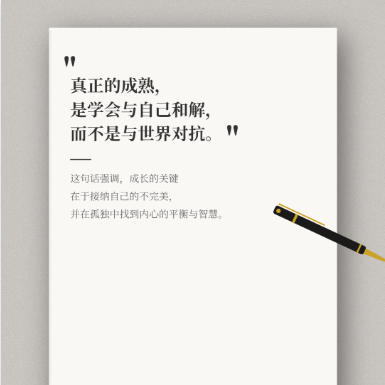
Book and notebook quote cover, with a gray textured backg...
Image Dominant Color Analysis Tool
Intelligently extract the main colors from images, suppor...
Batch ID Front and Back Merge Tool
Intelligently pairs the front and back of IDs by file nam...