Vertical Text Converter
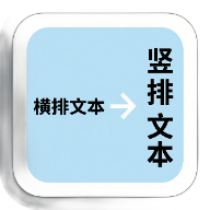
Convert horizontal text to traditional vertical display, supports Chinese, Japanese, and Korean text, allows layout parameters to be adjusted, and offers multiple output formats
Browser execution mode: Your data is processed in your browser and is not uploaded to the server.
Speed and Stability: Processing speed depends on your device and browser. For large batch work, the desktop version may be more stable.
Loading tool, please wait...
If the online tool fails to load or run, try the desktop tool.https://tools.yikeaigc.com/

Tool Usage
Return to old versionSupports horizontal to traditional vertical text, left-to-right vertical layout, punctuation conversion, characters per column, image/HTML/TXT export, and batch ZIP download.
Input Content
Choose an input method. Direct input suits single text, while TXT files suit batch conversion.
Layout Settings
Tip: generate once with the default settings, then adjust font size, characters per column, paper, and borders for your use case.
Generate & Export
Click Generate Results first, then download a single file or ZIP. TXT batch processing keeps original filenames and adds numbers for duplicates.
Instructions
Software Usage Instructions
- Select an input method: Choose “Text Input” to paste content directly, or choose “TXT File” to batch process multiple text files.
- Enter or select content: Text input is suitable for poems, classical Chinese, short articles, and design copy; TXT files are suitable for batch conversion of document content.
- Set vertical layout parameters: Choose vertical layout from right to left, vertical layout from left to right, or horizontal preview, and set the number of characters per column, font size, column spacing, character spacing, and font style.
- Adjust the style: Set image width and height, padding, text color, paper color, and border style, and enable options such as vertical punctuation conversion and preserving blank lines as needed.
- Select output format: TXT, HTML, and PNG image formats are supported. You can select one format or generate multiple formats at the same time.
- Generate and download: After clicking “Generate Conversion Result,” you can download individual files; for batch results, click “Download All ZIP” to get a compressed package.
FAQ
Related Tools
Intelligent Chinese Simplified/Traditional Converter
A professional Chinese conversion tool supporting bidirec...