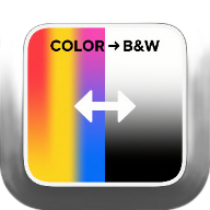
Color Image to Black and White Tool
Convert color images online to black and white, sepia, or pure black-and-white effects, with support for batch processing and parameter adjustment.
Browser execution mode: Your data is processed in your browser and is not uploaded to the server.
Speed and Stability: Processing speed depends on your device and browser. For large batch work, the desktop version may be more stable.
Loading tool, please wait...
If the online tool fails to load or run, try the desktop tool.https://tools.yikeaigc.com/

Tool Usage
Return to old versionSupports standard grayscale, film B&W, vintage sepia, and pure B&W threshold effects. Adjust brightness, contrast, exposure, grain, vignette, and output format.
Choose images
Supports common images like JPG, PNG, WebP, BMP, and GIF. Animated images use the first frame read by the browser.
Set effect
Choose an effect mode first, then fine-tune settings by image brightness. Saved settings are restored next time.
Process and download
After processing, a single image can be downloaded directly. Multiple images keep original filenames and are packed as a ZIP.
Instructions
Software Usage Instructions
- Select image files: Click the “Select Image” area and choose the image files you want to convert. Common formats such as JPG, PNG, WebP, BMP, and GIF are supported, and you can select multiple images in batches.
- Load sample images: If you do not have ready-made materials, click “Load Sample Image” to view the processing effects of different modes and parameters.
- Set the conversion mode:
- Standard black and white: Generates a natural grayscale effect based on brightness weighting.
- Silver halide black and white: Enhances midtones and tonal gradation, suitable for photo materials.
- Vintage sepia tone: Adds a warm brown tone based on the black-and-white relationship.
- Pure black and white: Generates an image with only black and white using a threshold.
- Adjust processing parameters:
- Brightness, contrast, exposure, gamma: Used to correct image brightness and grayscale gradation.
- Pure black-and-white threshold: Controls the dividing point between black and white in pure black-and-white mode.
- Channel weights: Adjusts the influence of the red, green, and blue channels on the grayscale result.
- Grain and vignette: Adds a black-and-white film texture to photos.
- Set output options: You can choose to keep the original format or output as JPEG, PNG, or WebP; you can also set the output quality and long-edge limit as needed.
- Preview and process: After setup, preview the first image first. Once the effect is confirmed, click “Start Processing”. Batch files will all be processed, but the interface only displays the first 20 results.
- Download results: A single image can be downloaded directly; multiple images will retain their original file names, duplicate names will be numbered automatically, and ZIP package download is provided.
FAQ
Related Tools
One-Click AI Object Remover for Images
AI intelligently removes unwanted objects, people, and wa...
Image Deduplication Tool (Detection Bypass)
Batch image deduplication tool that makes it easy to pass...
Batch Image Text Watermark Tool
Easily add custom text watermarks to multiple images, wit...
Image EXIF Information Removal Tool
Batch remove image metadata such as Exif, GPS location, d...
Image Frosted Glass Effect Tool
Add a frosted glass blur effect to images, with adjustabl...