Text to Handwriting Tool
Quickly convert electronic text into realistic handwritten images or PDF documents, with support for multiple font styles and paper effects. Suitable for homework, notes, and other use cases.
Browser execution mode: Your data is processed in your browser and is not uploaded to the server.
Speed and Stability: Processing speed depends on your device and browser. For large batch work, the desktop version may be more stable.
Loading tool, please wait...
If the online tool fails to load or run, try the desktop tool.https://tools.yikeaigc.com/

Tool Usage
Return to old versionPrepare Text
Prepare your content first, then set the style. When uploading multiple text files, only the first 20 are shown, but all files will be processed.
Set Handwriting Effect
Font, ink, paper, and random details affect the final look. Preview the first page on the right in real time.
Generate & download
Images are exported by page. PDFs are merged into one document per text. Batch files keep their original names; duplicates get numbers added.
Instructions
Software Usage Instructions
- Enter text content: Enter the text to be converted in the text box. Chinese, English, numbers, and common punctuation are supported. Long content will be automatically paginated according to the page layout.
- Import text files: For batch processing, you can select text files such as TXT, MD, CSV, and SRT. The list only shows the first 20 files, but all files will be processed during generation.
- Select font and handwriting style: Choose natural handwriting, neat handwriting, rounded notes, regular-script homework, or English handwriting according to your needs, and adjust font size, line spacing, character spacing, ink color, ink density, and random variation.
- Configure paper layout: Choose A4, A5, B5, or Letter pages; set white paper, cream paper, ruled paper, grid paper, homework paper, or dotted paper; and adjust margins, page numbers, red margin lines, and paper texture as needed.
- Set output options: Choose PNG images, JPG images, or PDF documents, and set the output resolution. Batch files will use the original file names, and numbers will be added automatically to distinguish duplicate names.
- Generate handwritten document: Click the “Generate Handwritten Document” button. The tool will generate handwritten pages according to the current settings and display the processing progress.
- Preview and download: After generation is complete, you can view a partial preview of the results and click “Download All Results ZIP” to get all processed files.
FAQ
Related Tools
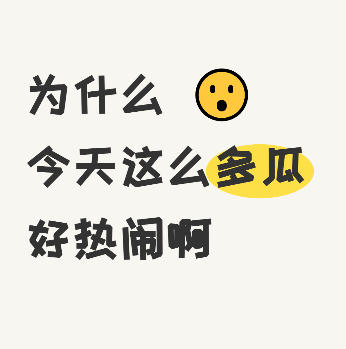
Xiaohongshu Emoji Text Cover Maker
Create handwritten-style covers with emoji and highlight ...
Batch Image Text Insertion Tool
Automatically read photo EXIF data (shooting date, camera...
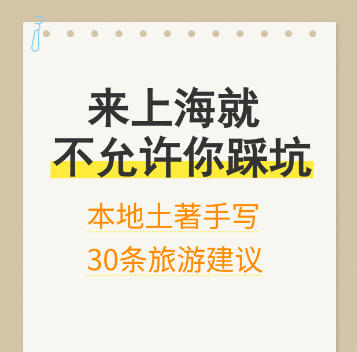
Xiaohongshu Sticky Note Style Cover Maker
Sticky note–style cover with a kraft paper background and...
Image Color Simplification Tool
Reduce the number of colors in images using color quantiz...
Xiaohongshu Large-Text Cover Maker
Create large-text covers for Xiaohongshu and Douyin, with...