Batch ID Photo Creation Tool
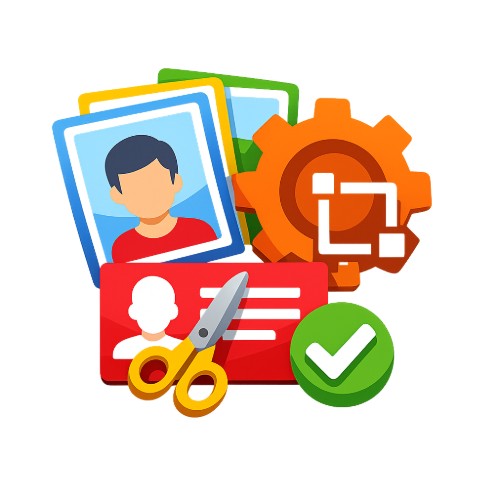
AI-powered smart background removal for batch ID photo creation, one-click background color replacement with red, blue, or white, built-in sizes for 1-inch, 2-inch, ID cards, passports, and more, with support for multi-photo layout and printing.
Loading tool, please wait...
If the online tool fails to load or run, try the desktop tool.https://tools.yikeaigc.com/
Tool Usage
Return to old versionBatch ID Photo Maker(Software Version)
AI portrait cutout and multi-photo layout for ID photos require significant computing resources. For a more stable, smooth experience, this feature is available only in the Windows desktop client.
Instructions
Software Instructions
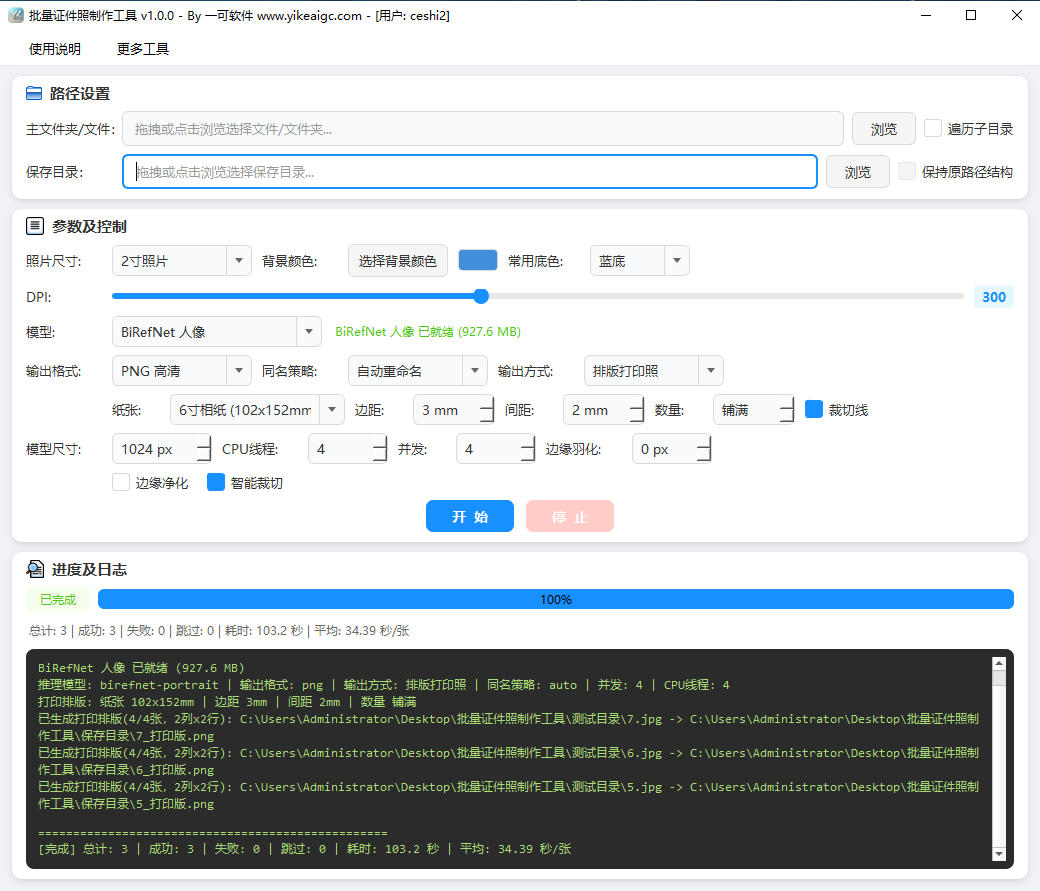
- Select image source: Enter the path in the "Main Folder/File" input box, or click the "Browse" button to select the image file or folder to process. You can drag and drop files or folders directly into the input box, and you can also select multiple photos at once.
- Set traversal and saving:
- Traverse subdirectories: When checked, images in the main folder and all its subdirectories will be processed recursively; when unchecked, only the current directory will be processed.
- Keep original path structure: Can be enabled after checking "Traverse subdirectories"; the original directory hierarchy will be preserved when saving.
- Select save directory: Specify where the processed photos will be stored.
- Select ID photo size: Choose the required specification from the drop-down list. Built-in common sizes include 1-inch, 2-inch, small 1-inch, large 1-inch, large 2-inch, small 2-inch, ID card, passport, driver's license, marriage photo, and more.
- Set background color: Choose preset background colors such as red, blue, white, and light gray, or customize the color. The AI will automatically cut out the portrait and fill in the new background.
- Configure processing parameters:
- DPI setting: Drag the slider to set the DPI value of the photo. ID photos and print paper sizes will be automatically converted to pixels based on millimeter specifications.
- Output format: Supports PNG, JPG, and WEBP, with same-name file strategies such as auto rename, overwrite same-name files, and skip same-name files.
- Smart cropping: Automatically removes excess blank space based on the portrait mask and centers the portrait.
- Select output method:
- Single ID photo: Generates one standard-size ID photo for each photo.
- Print layout photo: Automatically lays out multiple ID photos on paper sizes such as 5-inch, 6-inch, 7-inch, A5, and A4. Margins, spacing, layout quantity, and crop lines can be set for direct printing.
- Start processing: Click the "Start" button to process in batches. During processing, you can click the "Stop" button to end it midway.
- View results: After processing is complete, the statistics, processing log, and progress bar will show the details of this run. Go to the save directory to access the finished photos.
FAQ
Related Tools
Batch ID Front and Back Merge Tool
Intelligently pairs the front and back of IDs by file nam...
Batch Lossless Image Compression Tool
Batch reduce the file size of images in formats such as J...
Image Similarity Detection (PDQ Algorithm)
An online image similarity detection tool based on the PD...
Batch PDF Multi-Page Merge Tool
Merge multiple pages of a PDF file onto one page for easy...
Batch Image Fine-Tuning Originality Tool
Locally batch process image parameters, supports fine-tun...
Photo Border Watermark Generator
Add borders and custom text watermarks to photos online, ...