TXT to Word Document Converter
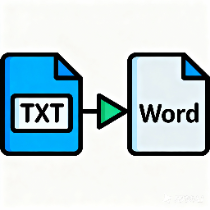
Convert TXT plain text files to Word documents, with support for single or batch conversion, customizable fonts, font sizes, and line spacing, and automatic recognition of multiple encodings.
Browser execution mode: Your data is processed in your browser and is not uploaded to the server.
Speed and Stability: Processing speed depends on your device and browser. For large batch work, the desktop version may be more stable.
Loading tool, please wait...
If the online tool fails to load or run, try the desktop tool.https://tools.yikeaigc.com/

Tool Usage
Return to old version1Choose input method
Supports single TXT, batch TXT, pasted text, and built-in examples.
2Add TXT Files
Only the first 20 files are shown. All selected files will be converted.
Supports .txt and text/plain. Auto-detects UTF-8, GBK, GB18030, Big5, UTF-16, and more.
2Paste or enter text
Pasted content will be output as one Word document. You can change the file name in Settings.
2Load sample
Examples will replace the current content and let you preview the output format.
3Content overview
Check text count, size, and preview before conversion.
1Page settings
Set paper size, orientation, and margins.
2Text style
Set font, size, line spacing, and space after.
3Output Rules
Set output filename, title, and text processing.
4Processing options
We recommend generating once with the defaults, then adjusting as needed.
1Pre-check
Confirm the text source and layout settings, then start converting.
2Progress
When done, download a single DOCX or a batch ZIP.
Conversion log
View successful files, failure reasons, and ZIP packaging status.
3Download results
Download DOCX for a single file, or ZIP for multiple files.
| Original file | Output file | Encoded | Word count | Lines | Status | Description |
|---|
Text preview
Show the first few paragraphs of the first successful result to check the layout.
SSettings Management
Export the current settings, or paste settings JSON to import.
Instructions
Software Usage Instructions
- Select text source: After opening the tool, first choose an input method: select a TXT file, paste text directly, or load sample data to preview the result.
- Add TXT files: Click the “Select TXT File” button to choose one or more TXT files, or drag files into the upload area. When selecting files in bulk, the interface displays the first 20 files, but all files will be processed during conversion.
- Paste text content: If you do not need to upload files, switch to “Paste Text,” then enter or paste the content you want to generate as a Word document and set the output file name.
- Set Word layout:
- Page settings: Choose A4, A5, or Letter paper size, set portrait or landscape orientation, and select standard, narrow, or wide margins.
- Text style: Set fonts such as Microsoft YaHei, SimSun, SimHei, KaiTi, and FangSong, and adjust font size, line spacing, and spacing after paragraphs.
- Output rules: Set the document title source, choosing to use the file name, a custom title, or no title.
- Processing options: Preserve original line breaks, remove extra blank lines, trim spaces at the beginning and end of lines, and optionally add statistics at the end of the document.
- Save common settings: Click “Save Settings” to save the current page, font, line spacing, and output rules, and they will be applied automatically next time.
- Start conversion: Go to the “Convert & Download” step, confirm the number of files to process and the layout settings, then click “Start Conversion.”
- Download results: For a single file, you can download the DOCX document; after multiple files are converted, click “Download All Results ZIP” to download the compressed package. Output file names use the original TXT file names by default, and duplicate names will automatically be distinguished by adding numbers.
FAQ
Related Tools
Excel Batch Column Deletion Tool
Batch delete specified columns in Excel files, supports m...
Document Term Frequency Weight Statistics Tool
Batch analyze word frequency distribution in text documen...
TXT Document Content Batch Replacement Tool
Supports single-file and batch modes, allows multiple set...
Multi-Image Layout Document Generator
Batch insert multiple images into Word documents, with su...