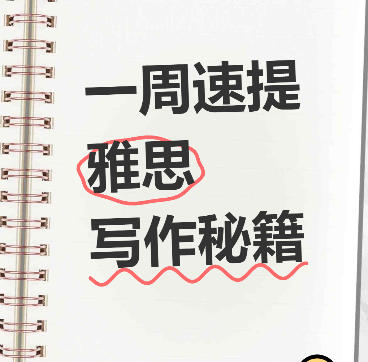
Xiaohongshu Spiral Notebook-Style Cover Maker
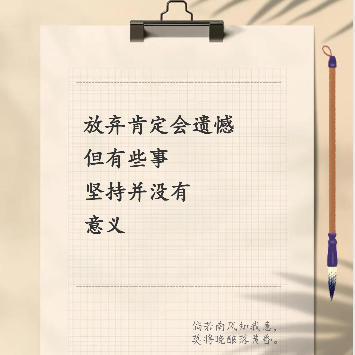
Notebook spiral journal-style cover, supports hand-drawn circle markers, wavy underlines, and cute sticker decorations
Browser execution mode: Your data is processed in your browser and is not uploaded to the server.
Speed and Stability: Processing speed depends on your device and browser. For large batch work, the desktop version may be more stable.
Loading tool, please wait...
If the online tool fails to load or run, try the desktop tool.https://tools.yikeaigc.com/

Tool Usage
Return to old versionCanvas size
Background Settings
Text Position
Text content
Font Settings
Decoration effect
Sticker Decorations
✕
📚
📖
💡
⭐
🔥
🚀
✅
🎯
💯
Quick Examples
Export Settings
1080 × 1440 px
Enter text, then click Generate
Instructions
Software Usage Instructions
- Select canvas size: Choose preset sizes such as Douyin 9:16, Xiaohongshu 3:4, square, or customize the width and height.
- Set background style:
- Default style: Use the preset crumpled paper background effect
- Solid color background: Choose a single color as the background
- Custom image: Upload your own background image, automatically stretched to fit the canvas
- Adjust notebook style: Set parameters such as coil color, quantity, and paper margins to create a personalized notebook effect.
- Add text content: Click the "Add" button to add text lines. You can set the font size, color, bold style, and add circle marks or underline decorations to key text.
- Select decorative stickers: Choose from a variety of cute stickers, set their size and position, and add fun to the cover.
- Batch creation: Switch to the "Batch Creation" tab, enter multiple lines of text content (separated by |), and generate multiple covers at once.
- Export and download: Select the export format and quality, then click the download button to save the cover image. Batch mode supports ZIP packaged downloads.
Frequently Asked Questions
A: In the text settings area, check the "Add circle mark" option to add a hand-drawn oval circle mark effect to that line of text. The circle mark color can be customized in the "Decorative Effects" settings.
A: When entering batch text, add the @ symbol before text that needs a circle mark, and add the _ symbol before text that needs an underline. For example: Improve Fast in One Week|@IELTS|_Writing Tips, where "IELTS" will have a circle mark and "Writing Tips" will be underlined.
A: In the "Font Settings" area, select the "Custom font..." option, then upload your font file (supports .ttf, .otf, and .woff formats). After the upload succeeds, the cover will automatically be rendered with the new font.
A: The cover image is generated according to the canvas size you set. The default Xiaohongshu 3:4 ratio is 1080×1440 pixels, and the Douyin 9:16 ratio is 1080×1920 pixels. You can also customize a higher resolution, up to 4096 pixels.
A: The system automatically handles duplicate names. If the same file name appears, a numeric suffix will be added to the original file name to distinguish it, ensuring each file can be saved correctly.
A: The preview area scales the image proportionally to fit the display area. This does not affect the quality of the exported image. The exported image will be generated at the actual size you set, maintaining high-definition quality.
A: Three formats are supported: PNG, JPEG, and WebP. PNG supports transparent backgrounds and is suitable for scenarios that require post-editing; JPEG has a smaller file size and is suitable for direct publishing; WebP balances quality and file size.
Related Tools
Batch PDF Multi-Page Merge Tool
Merge multiple pages of a PDF file onto one page for easy...
Photo Border Watermark Generator
Add borders and custom text watermarks to photos online, ...
Xiaohongshu Paperclip Copywriting-Style Cover Maker
Artistic vintage sticky note-style cover, with a beige ba...