Advanced Line Chart Generator
Create professional line charts online, with support for multiple data series, rich style settings, watermark features, and multi-format export
Browser execution mode: Your data is processed in your browser and is not uploaded to the server.
Speed and Stability: Processing speed depends on your device and browser. For large batch work, the desktop version may be more stable.
Loading tool, please wait...
If the online tool fails to load or run, try the desktop tool.https://tools.yikeaigc.com/

Tool Usage
Return to old versionChoose Data Source
First header column is the X-axis; following columns are line series.
Chart Options
Preview refreshes automatically after changes. Export uses current settings.
Basic Settings
Style Settings
Axes & Display
Series colors
Watermark & export
Preview & download
Single chart downloads use the current data; batch ZIP processes all imported files.
Instructions
Software Usage Instructions
- Select a data source: You can use manual editing, paste data, import CSV/TXT/Excel files, or use sample data. The first column of the table is used as the X-axis labels, and the following columns are used as line chart data series.
- Organize the data table: You can add rows, add series, delete series, and clean up empty rows. When importing multiple files, the page displays the first 20 files, while batch export will process all files.
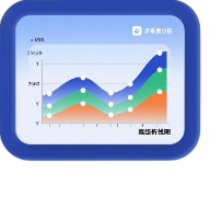
- Set chart parameters: Choose a standard line chart, smooth line chart, step line chart, area chart, or stacked area chart, and set the title, axis names, legend position, chart size, and color theme.
- Adjust visual styles: You can set the background color, opacity, font, title font size, line width, data point size, area opacity, grid lines, value labels, Y-axis range, and series colors.
- Add a watermark and save settings: You can enter watermark text and choose the watermark position and opacity. Click “Save Settings” to export the configuration file, and later use “Load Settings” to restore the parameters.
- Preview and export: After entering the preview page, you can refresh the chart and download it in SVG, PNG, or JPG format. After importing multiple files, you can select an export format and generate a ZIP archive. Result file names will use the original file names, with numbers automatically added to distinguish duplicates.
FAQ
Related Tools
Animated Bar Chart Race Generator
Generate animated bar chart races online, with JSON/CSV/E...
Online Step Line Chart Generator
Professional step line chart maker with support for data ...