All tools on this site are free for a limited time!
AI Paragraph Translator
An AI model-based intelligent paragraph translation tool that supports single-paragraph and batch translation, with customizable API configuration and target languages.
Lower = more precise, higher = more creative (0-2)
Available variables: {language} = target language name
📜Translation history
0 records total
No translation records
Result Preview
Drag the center line
Slide left or right
Instructions
Software Usage Instructions
Configure API settings: Switch to the "API Configuration" tab and enter your API base URL, API key, and model name. Supports OpenAI and all compatible interfaces (such as Azure OpenAI, Claude, Tongyi Qianwen, DeepSeek, etc.). The configuration will be automatically saved to your local browser, so you do not need to enter it again next time.
Select translation parameters:
Target language: Choose from 15 preset languages (Chinese, English, Japanese, Korean, French, German, Spanish, Russian, Arabic, Portuguese, Italian, Thai, Vietnamese, Hindi, Turkish), or select "Custom Language" to enter any language name
Translation style: Supports 6 styles: standard, formal/academic, conversational, literary, technical/professional, and business
Concurrency: Set the number of paragraphs to translate simultaneously (1-20). Higher values translate faster but may be limited by the API rate limit
Custom prompt: You can write a custom System Prompt to precisely control translation behavior, with support for the {language} variable
Single-article translation mode:
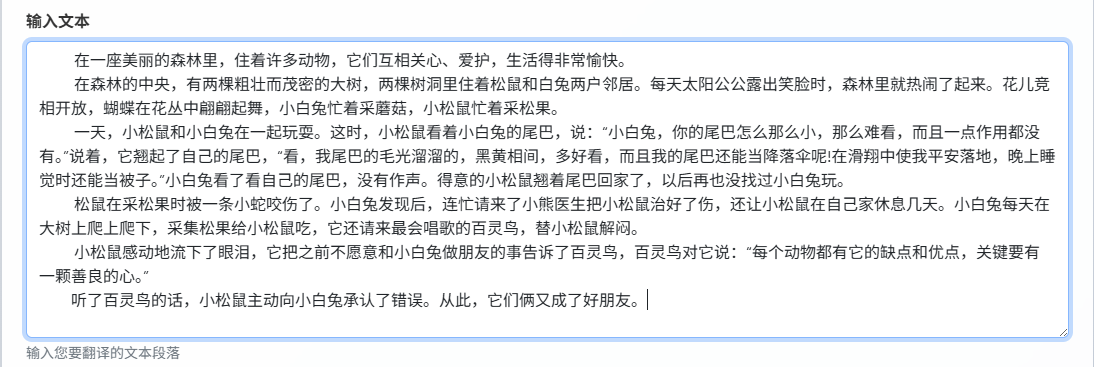
Enter text in the "Single Translation" tab, and the tool will automatically detect paragraphs (split by double line breaks, with long paragraphs automatically split)
Displays character count, paragraph count, estimated token usage, and translation time in real time
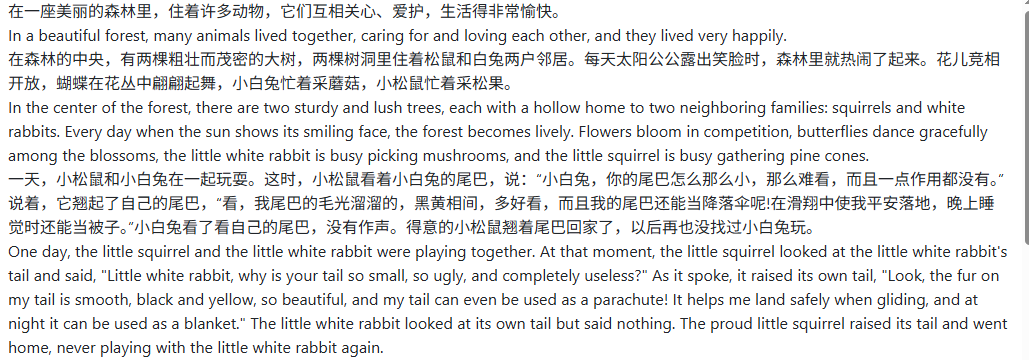
After translation is complete, you can switch between three display modes: "Bilingual Comparison", "Translation Only", and "Original Only"
Supports one-click copying of results or downloading as a TXT file
Batch translation mode:
In the "Batch Translation" tab, click the upload area or drag and drop files. TXT, Markdown(.md), and SRT subtitle files are supported
You can choose the output format (separate files/merged file/bilingual comparison document) and file naming method
Download a ZIP archive with one click after translation is complete
Translation control: During translation, you can click the "Stop Translation" button at any time to interrupt the task. Completed parts will retain their results. Failed paragraphs will be automatically retried (the number of retries can be configured).
Translation history: Switch to the "Translation History" tab to view the latest 50 translation records. Click any record to quickly go back and view it.
Frequently Asked Questions
A: All services compatible with the OpenAI interface format are supported, including the official OpenAI API, Azure OpenAI, Claude, Tongyi Qianwen, DeepSeek, Moonshot, Zhipu GLM, and other major models in China and abroad. Simply configure the API base URL, key, and model name correctly to use them. GPT-4o-mini or an equivalent model is recommended for the best value.
A: Single-article translation is suitable for directly pasting text for translation, with bilingual comparison display and one-click copying; batch translation supports uploading multiple TXT/Markdown/SRT files. The system translates each file paragraph by paragraph and shows detailed progress, and you can download a ZIP archive after completion. Batch mode also supports selecting the output format and file naming rules.
A: Translation style provides 6 preset modes (Standard, Formal/Academic, Conversational, Literary, Technical/Professional, Business) for different scenarios. Custom prompts let you write your own translation instructions, such as requiring professional terms to remain in the original language, specifying particular translation standards, controlling the output format, and more. You can use the {language} variable to automatically replace it with the target language name.
A: Completely secure. All translation requests are sent directly from your browser to the API provider you configured, without passing through this tool's server. The API key is stored only in your browser's local storage and is not uploaded to any third party. Translation history is also stored only in the local browser.
A: The tool has a built-in automatic retry mechanism (3 attempts by default, with exponential backoff), and most temporary errors will recover automatically. If it continues to fail, please check: 1) whether the API configuration is correct (you can verify it with the "Test Connection" button); 2) whether your API account balance is sufficient; 3) whether the network connection is working normally; 4) whether the concurrency is too high and triggering rate limits (it is recommended to reduce it to 3-5).
A: Recommendations: 1) Use a more powerful model such as GPT-4o or Claude 3.5; 2) choose an appropriate translation style based on the content type; 3) use custom prompts for specialized content to specify terminology standards; 4) lower the Temperature value appropriately (e.g., 0.1-0.3) for more stable translations; 5) ensure the input text is divided into reasonable paragraphs and avoid overly long single paragraphs.
A: Batch translation supports TXT plain text, Markdown (.md), and SRT subtitle files. Paragraph recognition rules: it first splits by double line breaks; if there are no double line breaks, it splits by single line breaks; long paragraphs over 800 characters are automatically split into segments under 600 characters by punctuation such as periods. SRT subtitle files automatically extract subtitle text for translation. The minimum valid paragraph length is 10 characters.
Related Tools
U.S. Visa Photo Generator
Create U.S. visa photos with batch processing and print l...











.png)