SRT/VTT Subtitle Translation Tool
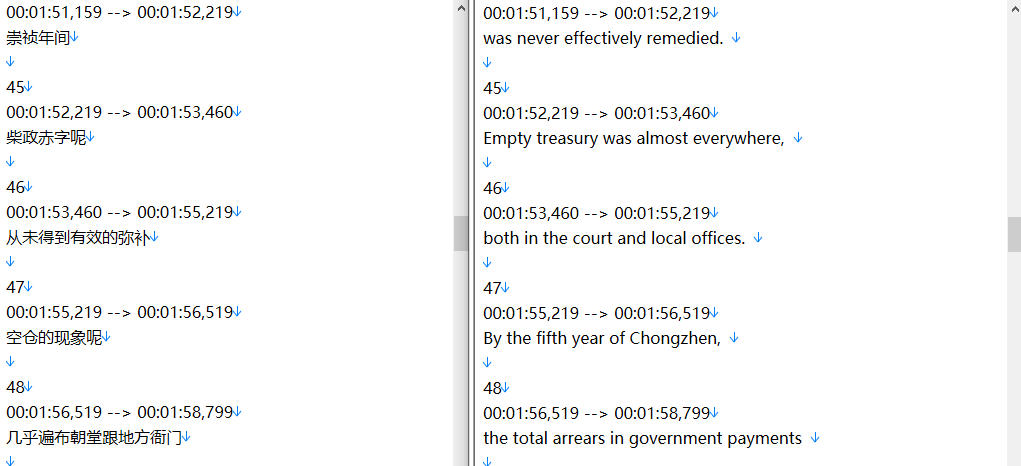
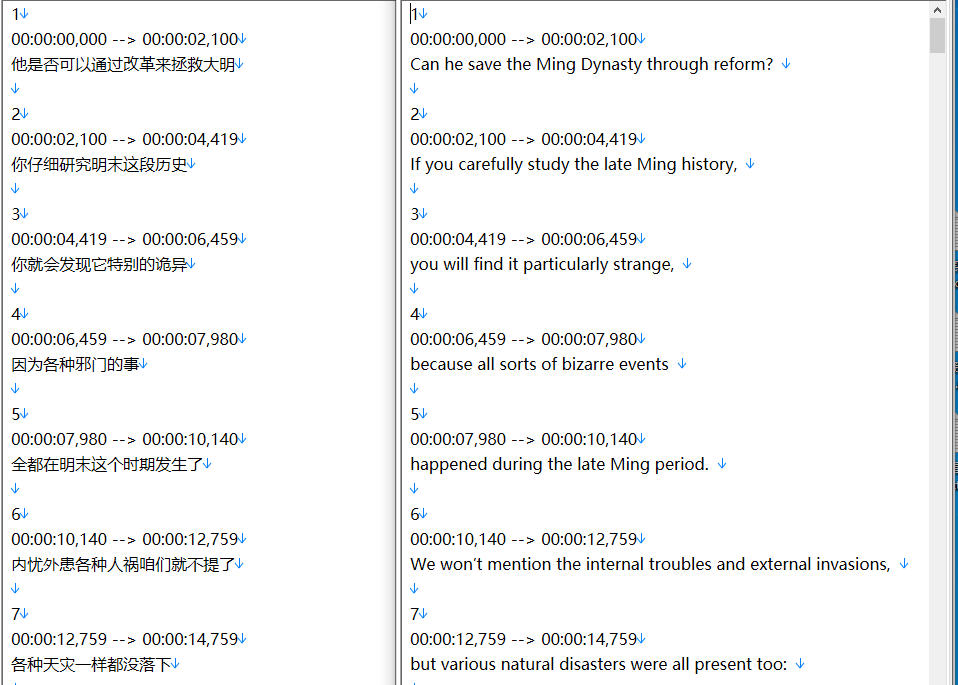
Supports translation of SRT and VTT subtitle files while preserving the timeline, with single-file and batch processing modes
Loading tool, please wait...
If the online tool fails to load or run, try the desktop tool.https://tools.yikeaigc.com/
Tool Usage
Return to old versionUpload Subtitle File
Supports SRT and VTT formats, preserving the original timeline
Translation Progress
0%
Waiting to start translation...
Batch Upload Subtitle Files
Select multiple SRT and VTT files for batch translation
Batch Translation Progress
0%
Waiting for files...
Result Preview
Preview image 1
Preview image 2
Instructions
Software Usage Instructions
- Select a translation mode: At the top of the page, select the "Single File Translation" or "Batch Translation" tab, and choose the appropriate processing mode as needed.
- Upload subtitle files:
- Single file mode: Click the "Select Subtitle File" button and choose a subtitle file in SRT or VTT format.
- Batch mode: Click the "Select Multiple Subtitle Files" button to select multiple subtitle files for batch processing.
- Configure API settings:
- API URL: Enter an OpenAI-compatible API URL, such as https://api.openai.com
- API key: Enter a valid API key
- Model name: Enter the name of the model to use, such as gpt-3.5-turbo
- Select the target language: Choose the target translation language from the drop-down menu. The world's top ten languages are supported, and you can also select "Custom Language" to enter a specific language.
- Set concurrency: Based on API limits and processing needs, choose 1-20 concurrent tasks. Higher values result in faster translation.
- Start translation: Click the "Start Translation" or "Start Batch Translation" button. The system will automatically process the subtitle files while preserving the original timeline.
- Download results: After translation is complete, in single file mode you can download the translated subtitles directly; in batch mode, a ZIP archive will be generated for download.
FAQ
A: The tool supports the two mainstream subtitle formats, SRT and VTT. SRT is widely used in video players, while VTT is mainly used for web videos. The original timeline and format structure are fully preserved during translation.
A: Yes. The tool fully preserves the timeline information of the original subtitles. Only the text content is translated, while all timecodes, sequence numbers, and formatting structures remain unchanged, ensuring the translated subtitles sync perfectly with the original video.
Answer: When a subtitle file exceeds 4000 characters, the system will automatically perform intelligent splitting. The splitting process ensures the integrity of subtitle entries and will not cut through the middle of subtitle segments, ensuring translation quality and subtitle coherence.
Answer: Concurrency controls the number of text blocks being translated at the same time. Higher concurrency can speed up translation but will increase the frequency of API calls; lower concurrency is more stable but slower. We recommend choosing an appropriate concurrency level based on your API limits.
Answer: After batch translation is complete, all successfully translated subtitle files will be automatically packaged into a ZIP archive. The file names will have the "_translated" suffix added to distinguish them from the original files. Click the download button to get the complete translated results package.
Answer: The tool uses OpenAI's advanced language models for translation, providing high translation accuracy. The system keeps the number of subtitle lines consistent and preserves the meaning and context of the original text. We recommend using newer models such as gpt-4 for better translation results.
A: The tool offers a choice of the world's 10 major languages: English, Chinese, Spanish, French, German, Japanese, Korean, Russian, Arabic, and Portuguese. It also supports a custom language feature, allowing you to enter any target language for translation.
Related Tools
AI Image Generator (Image-to-Image)
AI-powered intelligent image editing tool supporting sing...
AI Article Rewriting and Originality Tool
Pass plagiarism detection! Pass AI article detection! Sup...
AI Image Generator (Text to Image)
An intelligent image generation tool that supports single...
AI Video Quality Assessment Classification Tool
Uses a large model to score AI-generated videos across si...
AI Foreign Trade Bulk Customer Acquisition Tool
Uses AI large models to intelligently identify potential ...
Bilingual Subtitle Translation Tool
Smart subtitle translation tool supporting SRT and VTT fo...